
Case study · AI operations app
An AI operations app for auto repair shops
An AI operations app now used by 28 auto repair shops, grown from 13 modules to 29, with AI running costs so small that all my heavy testing came to about 4 cents.
Snapshot
- Client
- A marketing company serving US auto repair shops
- Built for
- Shop owners, service advisors and mechanics
- Reach
- Used by 28 auto repair shops
- Scope
- 13 modules at launch, 29 today, across 4 categories: Customer Service, Tech & Repair, Inventory, Business Ops
- Stack
- Standalone web app built on WordPress. Supabase sign-in for paid users (magic link or credentials). Gemini and Claude, chosen per module
- My role
- Product design, AI architecture and build

The problem
Auto repair shops run on small teams and full days. The people at the front desk and in the bays are good at fixing cars, not at writing messages or wrestling with software. My client markets to these shops, and the shops were dealing with the same friction:
- Retyping the same context. Every tool asked for the shop's name, address, hours and prices again, and still gave back generic results.
- Slow customer communication. Reminders, follow-ups and messages about declined work were written from scratch, one channel at a time.
- Diagnostics that are hard to explain. A mechanic's read on a misfire doesn't turn easily into words a customer understands and trusts.
- Scattered tools. A different tab or login for every job, so good tools went unused.
How I approached it
The question I kept in front of me was simple: what would make a busy service advisor actually open this in the middle of a full day? Most of my design decisions are answers to it.
Context once, use everywhere.
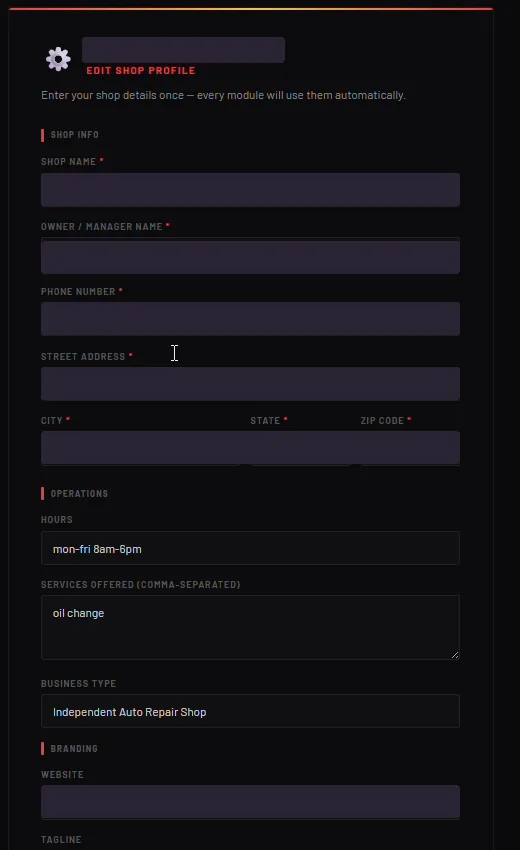
Every module reads from one shop profile and one service price editor. A shop enters its name, tagline, address, logo and staff once, and every AI output uses them automatically. Nobody retypes the basics, and because the AI always knows which shop it's writing for, the results come out more detailed and specific.
Adoption comes from ease.
It's a standalone web app, built on WordPress, that opens in any browser. Paid users sign in through Supabase with a magic link or their credentials. Each module is a short form, not a blank prompt box.
Refinement built in.
Nobody in a shop should have to learn prompt engineering. Under every result there's a refine bar, so staff can type plain requests like “make it longer”, get a better version, and get on with their day.
Cost discipline.
I treat AI spend as part of the design, not something to check after the bill arrives. I monitor API spend as I build, and all of my heavy testing came to roughly 4 cents.
The right model for each task.
Each module's prompts go to Gemini or Claude, whichever suits that job. No single model is best at everything, so I don't pretend one is.
What I built
One profile behind everything
The shop profile and service price editor are the quiet centre of the app. They feed every module, so a reminder already knows the shop's hours and a quote already knows its prices.
Customer communication
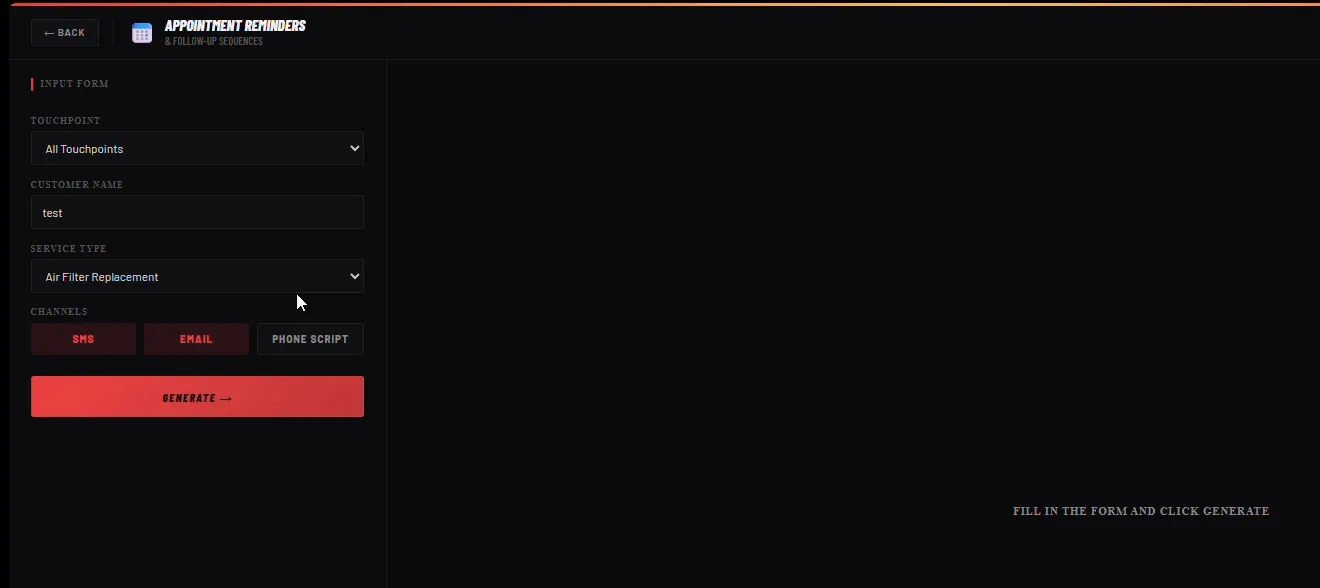
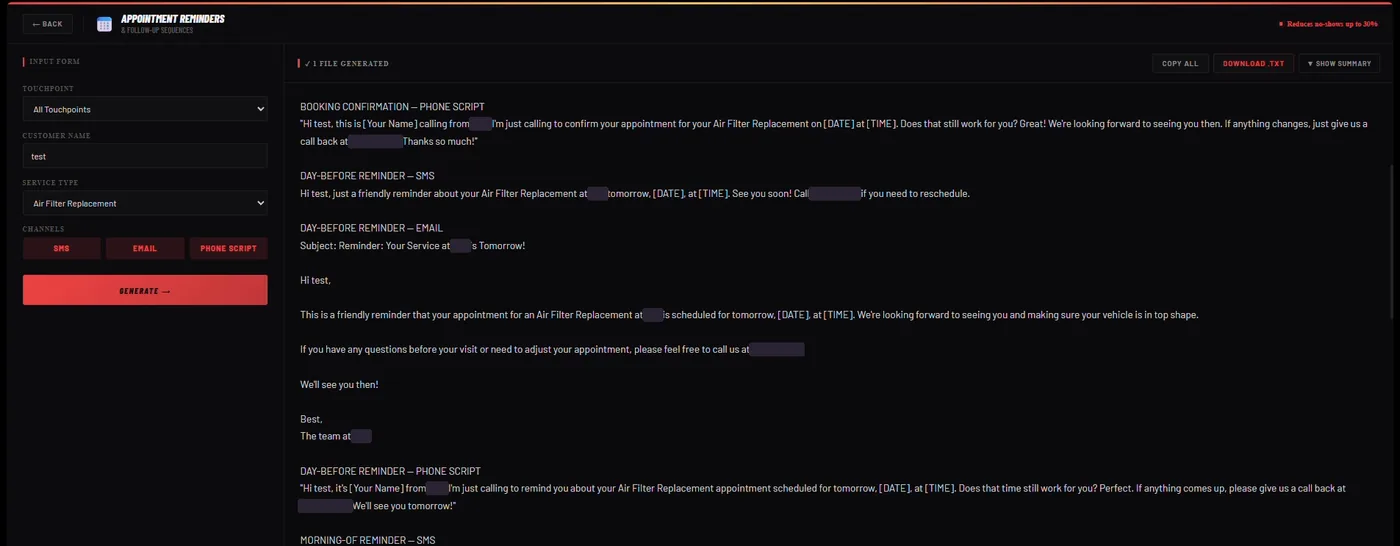
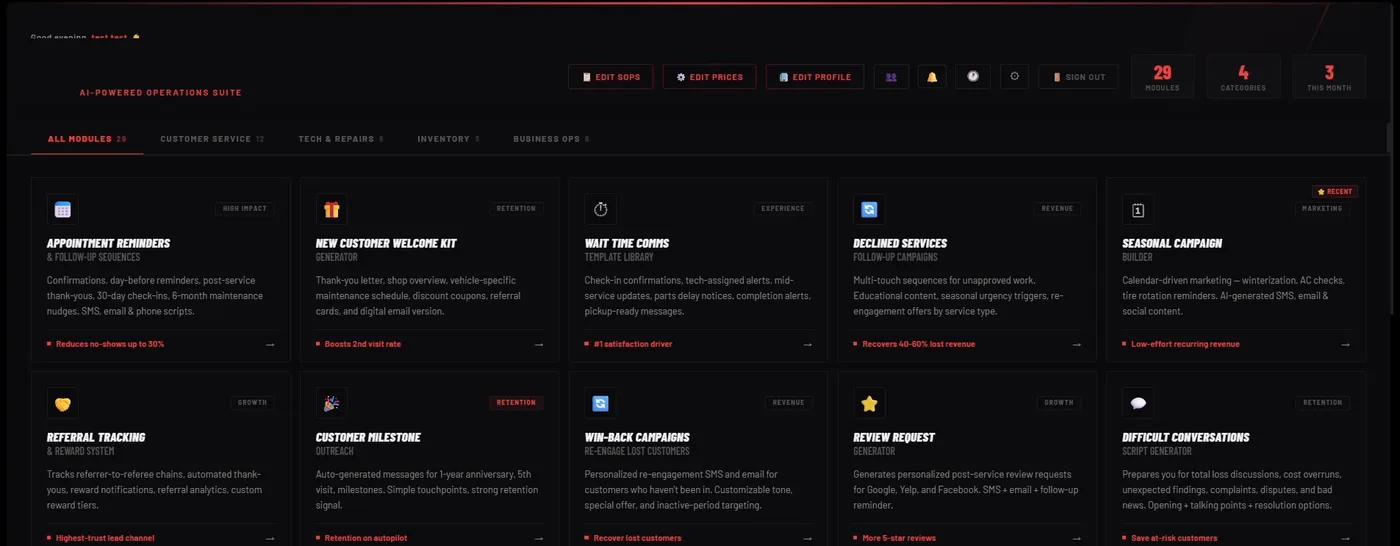
Staff pick a touchpoint, a customer and a service, and the app writes the SMS, the email and the phone script at once. It covers appointment reminders, declined services, seasonal campaigns and follow-ups, and the refine bar handles the rest.
The Repair Assistant
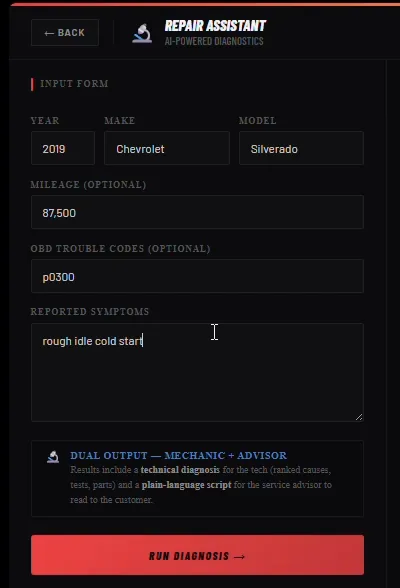
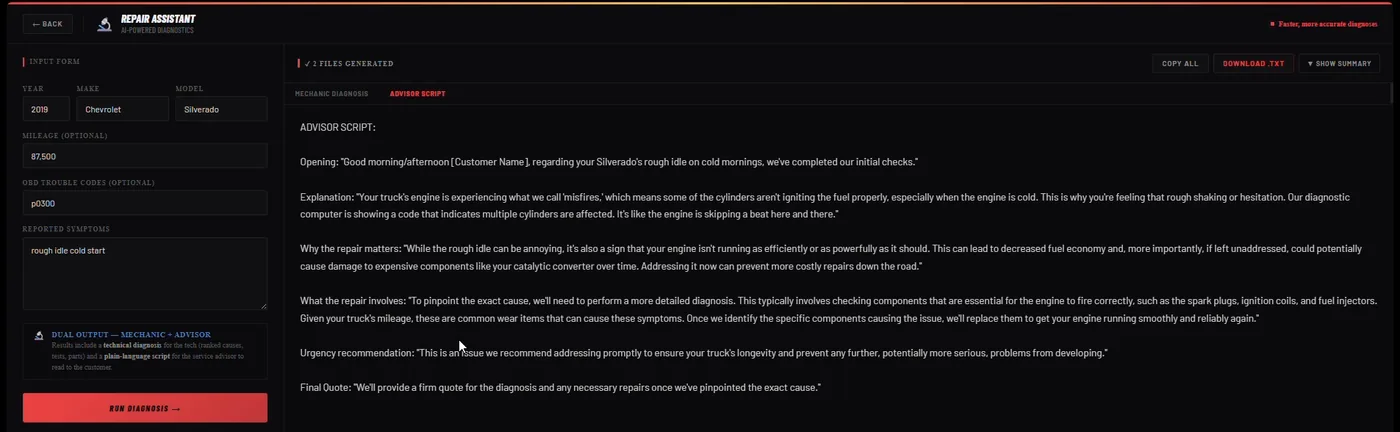
A technician enters year, make, model, mileage, symptoms and OBD codes. The assistant returns the most likely causes, diagnostic tests, parts likely needed and labor hour estimates, plus a plain-language script the service advisor can read to the customer. That last part is what closes the gap between the bay and the front desk.
Running the shop
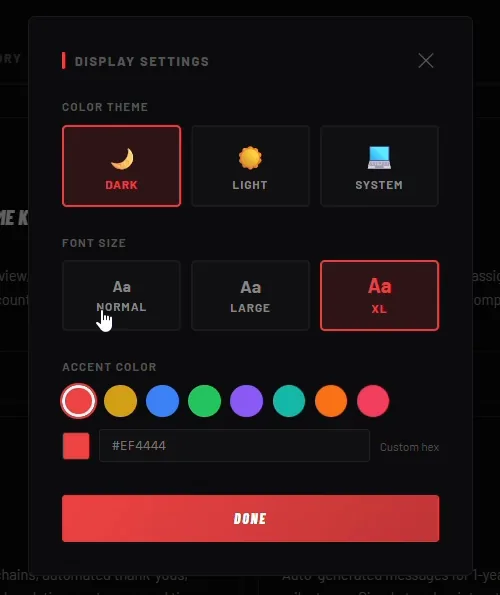
Around those sit the everyday pieces: parts inventory with recall alerts, a lightweight customer database, an SOP manager that drafts SOPs with AI, a history of everything generated, and an in-app AI assistant that helps people find their way around. Display settings let each shop make it feel like theirs, with dark or light mode, font size and accent colour.
“Cost control is a design decision from day one, not something you check after the bill comes.”
Christine Mendoza
“You don't have to keep on providing or typing your information, so when we're generating results, it creates very detailed, more specific results.”
Christine Mendoza
Results
What this means for your business
This project was for auto repair, but what I learned from it isn't really about cars.
Most of the value sat in the unglamorous parts. Knowing the business before the first prompt. Making the tool easy to open on a busy day. Letting them ask for changes in their own words. The model matters less than the context you give it, and costs stay small when you decide on purpose which model does which job.
If you run an agency or a service business, the same pattern probably applies to you: a team retyping the same details, writing the same messages, and explaining the same things to customers. So here's the question I'd start with. Where does your team type the same context every single day?
Want to talk it through?
I'm happy to walk you through how I designed and built this, and the thinking behind it.