
Case study · AI search toolkit
The AI Search Toolkit
11 AI-powered tools that turned an AI Search Audit into work the marketing team does themselves. The agency used them to update its own website and its clients' websites for AI search.
Snapshot
- Client
- A US agricultural marketing agency
- Starting point
- An AI Search Audit with an action plan
- Scope
- 11 tools in sprints: Sprint 1 Foundation (4), Sprint 2 Content + Schema (4) and On-demand generators (3), plus an AI daily briefing, progress tracking and quick-reference validators
- Language
- Every AI tool writes in the client's industry language: farmers, equipment dealers, agronomists, co-ops
- Stack
- Powered by the Claude API
- My role
- Designed and built the toolkit
The problem
AI search is changing how buyers find businesses. People now ask ChatGPT, Perplexity or a Google AI Overview and get an answer that names a handful of companies. My client had an AI Search Audit that said what needed to change. But an audit is only useful if the team can act on it, and this kind is hard to act on:
- It's static. A report lists what to fix, not how. Someone still has to turn each item into real work.
- The fixes are technical. Crawler rules, JSON-LD schema, head tags and author markup are the kind of task that waits in a developer's queue.
- Content has to match how people ask. Pages need headings phrased as real questions and short, direct answers that an AI can quote.
- Generic AI writes generic copy. Off-the-shelf tools don't talk the way farmers and equipment dealers do.
- Progress is hard to see. Without regular checks, nobody knows if the changes are working.
How I approached it
I didn't want to hand over another document. I wanted the action plan to become something the team opens on a Tuesday morning and uses, without needing me in the room.
One tool per action.
Each item in the audit's action plan became a working tool, and I kept the plan's order. Sprint 1 covers the foundation, starting with whether AI crawlers can even read the site. Sprint 2 moves on to content and schema.
A form in, working code out.
The team fills in a short form and gets something ready to paste: exact robots.txt fix code, JSON-LD, a full head block. Nobody has to learn schema syntax to ship schema.
Their industry's language.
Every AI tool writes the way the client's market talks: farmers, equipment dealers, agronomists and co-ops. That's the difference between copy that sounds like it belongs on the site and copy that has to be rewritten.
What I built
The dashboard
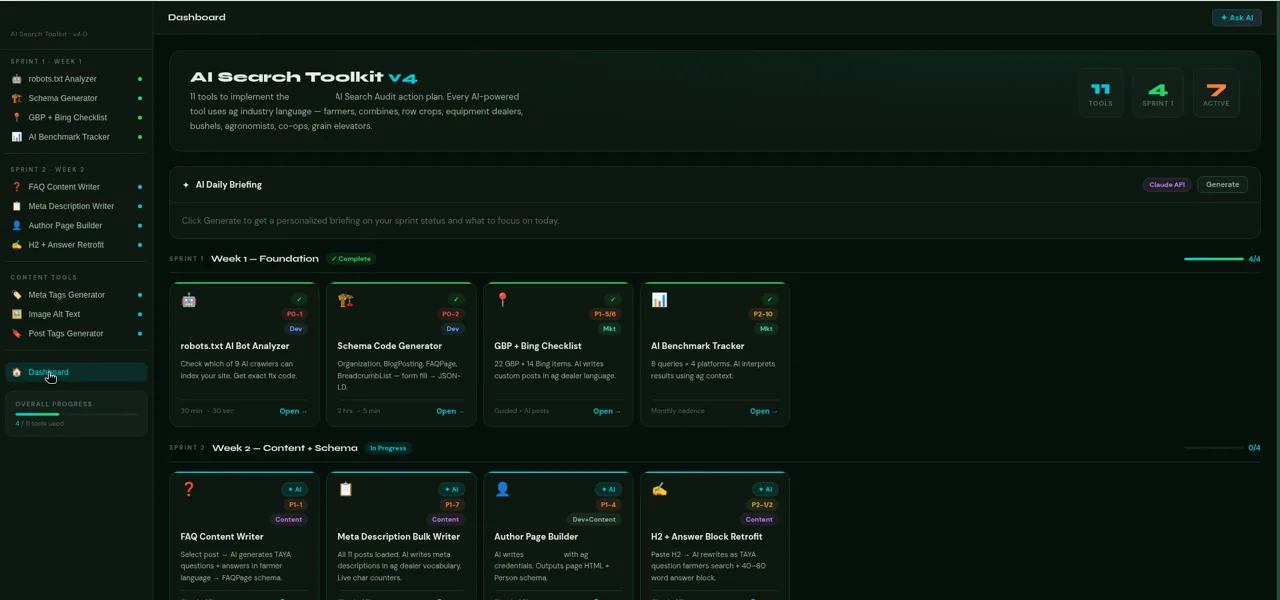
The dashboard follows the same order as the audit. Tools are grouped by sprint, each card shows what it does and who it's for, and an AI daily briefing, progress tracking and quick-reference validators sit alongside them.
Sprint 1: Foundation
Before any content work, the basics have to be right: can AI crawlers get in, and does the site say clearly who the business is?
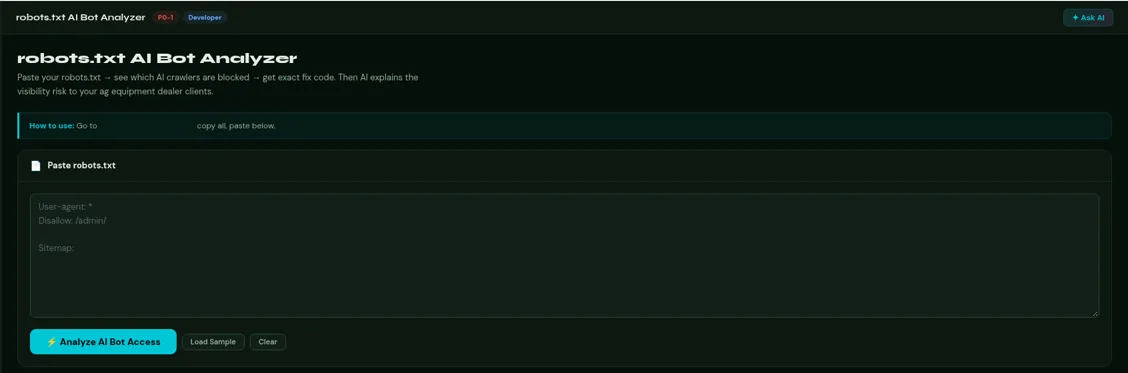
- robots.txt AI Bot Analyzer checks which of 9 AI crawlers can index a site and gives the exact fix code.
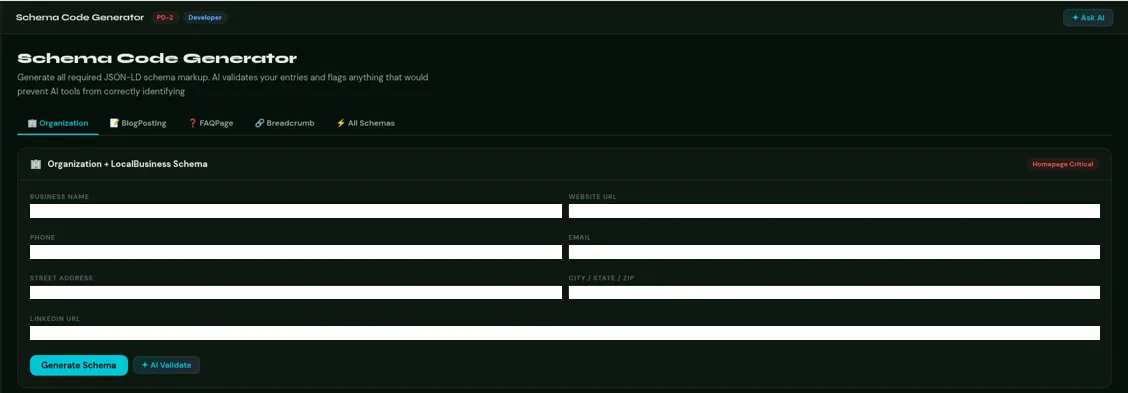
- Schema Code Generator Organization, BlogPosting, FAQPage and BreadcrumbList. Fill in a form, get JSON-LD.
- GBP + Bing checklist 22 Google Business Profile items and 14 Bing items, with AI-written posts.
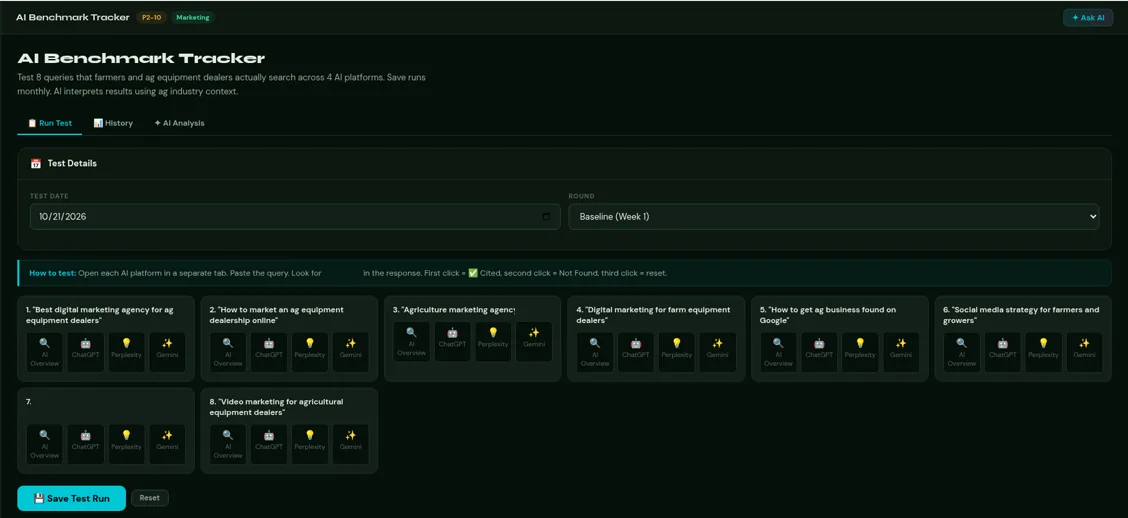
- AI Benchmark Tracker 8 queries across 4 platforms (Google AI Overview, ChatGPT, Perplexity, Gemini), run monthly, so “are we showing up in AI answers?” becomes a routine instead of a guess.
Sprint 2: Content + Schema
Once the foundation is in place, the content needs to answer real questions in a form AI search can use.
- FAQ Content Writer turns an existing post into TAYA-style (They Ask, You Answer) questions and answers, then into FAQPage schema.
- Meta Description Bulk Writer writes meta descriptions with live character counters.
- Author Page Builder writes a bio with credentials and outputs the page HTML plus Person schema.
- H2 + Answer Block Retrofit rewrites H2s as the questions people search, each followed by a 40–60 word answer block.
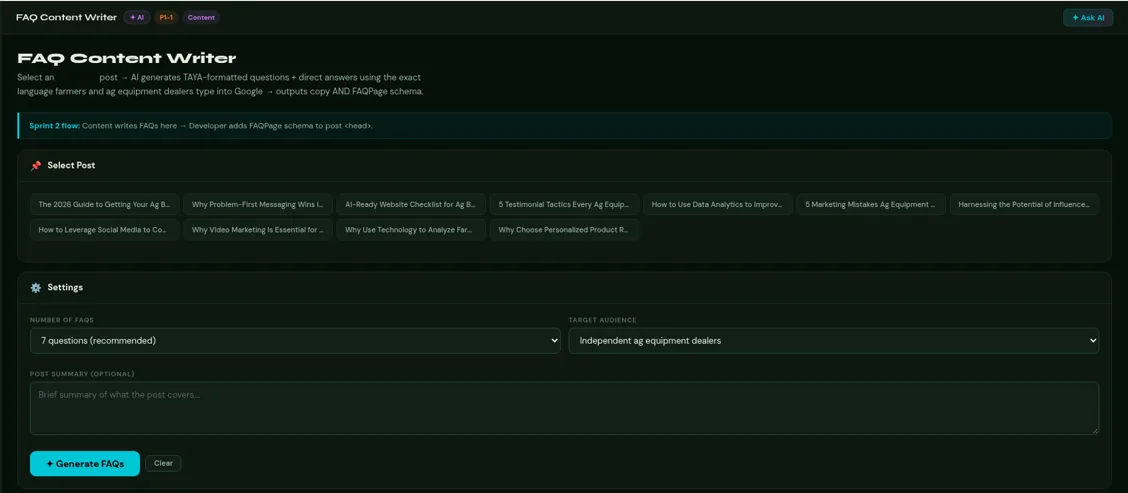
On-demand generators
These are for everyday publishing, so every new post goes out ready for AI search.
- Meta Tags Generator a full head block: title, description, Open Graph, Twitter Card, canonical and robots.
- Image Alt Text Generator 3 variations per image (SEO, accessibility, concise), plus a batch mode.
- Post Tags Generator CMS tags, schema keywords and social hashtags.
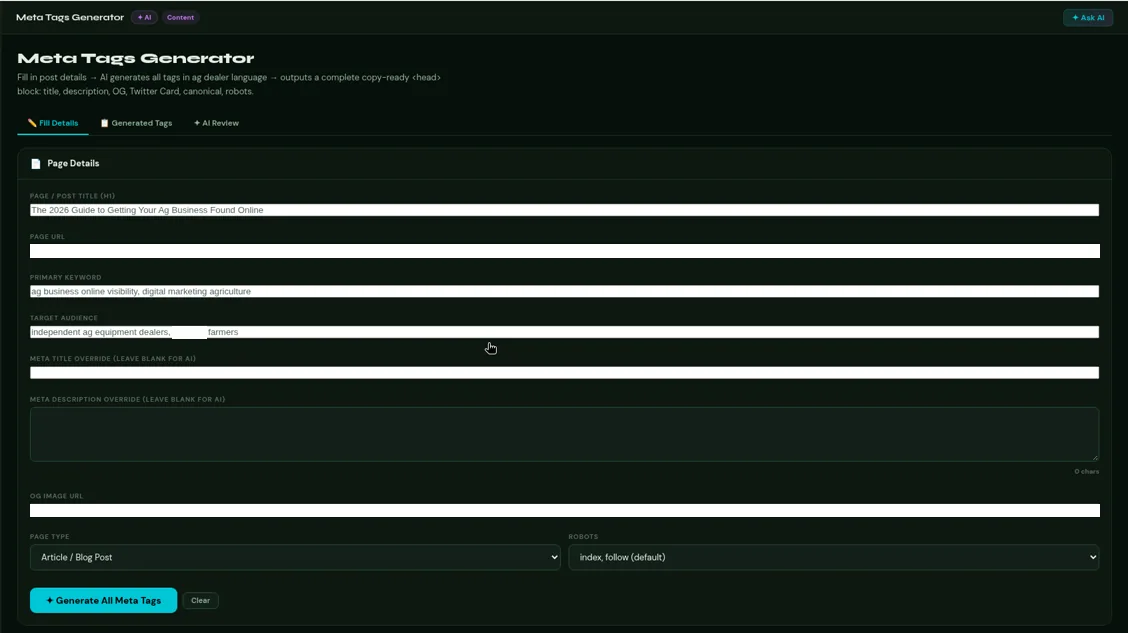
“I always try to make my systems transferable. It's not a well-built system if it can't operate outside of my control and environment.”
Christine Mendoza
Results
What this means for your business
Search is moving from a list of links to a written answer. When someone asks an AI assistant for the best agency or dealer near them, it names a few businesses. Whether yours is one of them depends a lot on unglamorous things. Can its crawlers read your site? Does your structured data say clearly who you are? Do your pages answer the questions people actually ask?
What I took from this project is that the audit isn't the hard part. Acting on it is. A report tells you what's wrong. A tool that turns each fix into a short form, in your own industry's words, is what gets it done, and keeps getting it done after the consultant leaves. That's how I think about SEO work now: the findings matter less than whether your team can keep acting on them.
So here's the question I'd start with. If someone asked an AI assistant for a business like yours today, would it name you, and would your team know what to change if it didn't?
Want to talk it through?
I'm happy to walk you through the toolkit and how I'd apply the same approach to your SEO work.